

Booking the call
Set your call times, send the booking link, and what to do if plans change.
The candidate books the 15-minute Pre-Interview on your calendar. You don't need to chase anyone. What is a Pre-Interview?
Set your call times
Before you can schedule, tell us who makes the calls and when. Click Call times at the top of the Hiring Room.
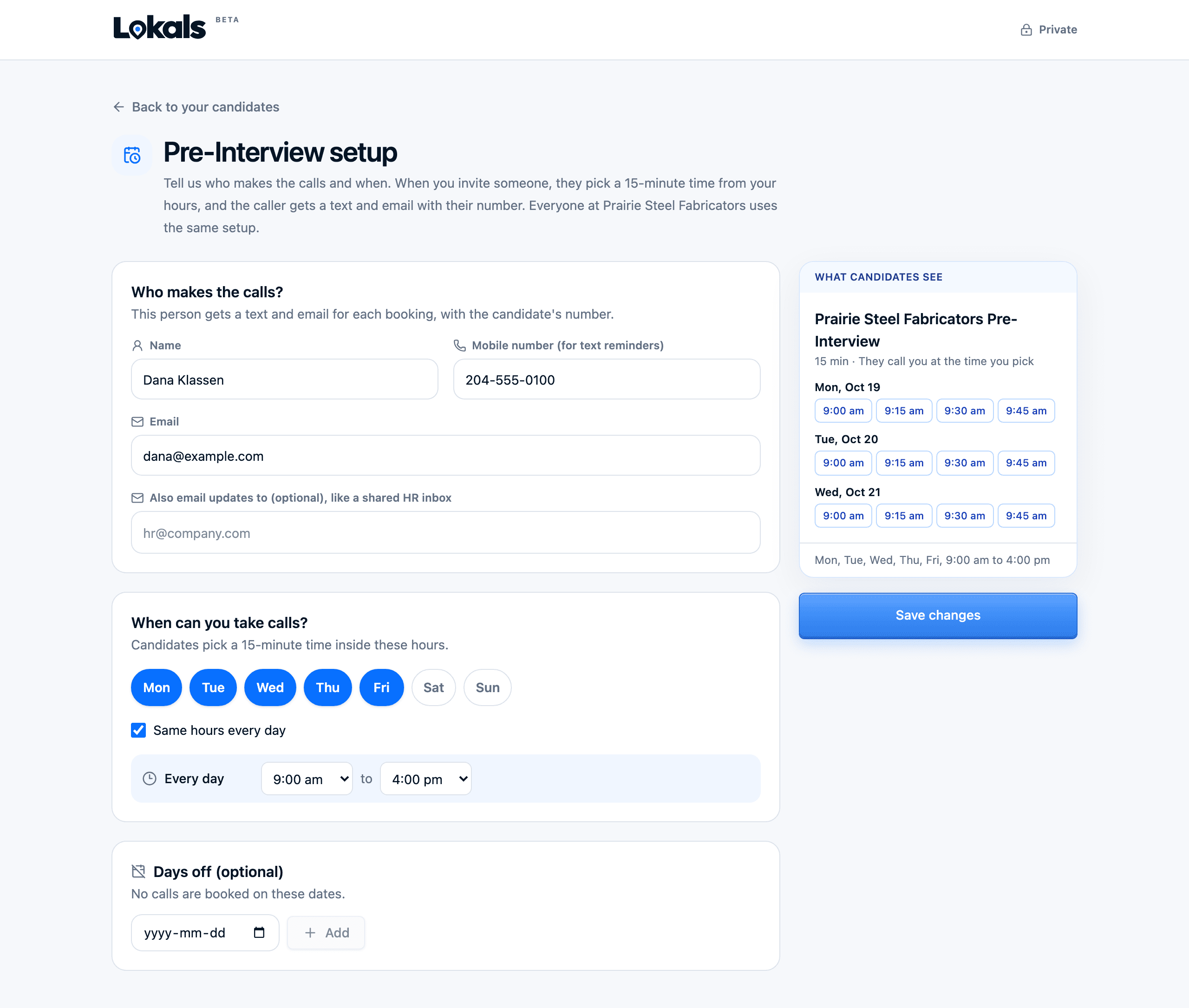
- Who makes the calls: name, email and mobile number.
- Also email: up to 5 more people who should get the messages.
- Call days and hours: when you're free for 15-minute calls.
- Days off: dates you can't take calls.
A preview shows what candidates see when they pick a time.
Send the booking link
On a card with the contact shown, click Schedule Pre-Interview and confirm.
- The candidate gets a text and email with your booking link.
- We remind them until they book.
- When they book, the person who makes the calls gets a calendar invite and an email from Lokals with the time, name and phone number.
Making the call
- Call the candidate at the booked time.
- Plan for 15 minutes.
- Good things to cover: the work, the shift, pay, start date, and what the next step would be.
If plans change
- The candidate moves the time? Your calendar updates.
- The candidate cancels? Your credit stays Held for 7 days so they can pick a new time. If they don't, it goes back to Available.
- You can't make it? Tell us as soon as you can, and we will help find a new time.
- Nobody picks up? Mark They didn't show in your feedback. See After the call.